From product data to production-ready artwork
Paqira gives teams one controlled system for data-driven artwork generation, Paqira syntax, workflow chains and change data detection. Use focused operations for single files or connect many steps into complex packaging workflows across variants, markets and channels.
Own syntax
Describe generated elements and modifications in a simple production language.
Workflow chains
Connect many simple operations into one repeatable production process.
Change detection
Detect changed data and update the artwork elements that need attention.
Manual artwork production breaks down as volume, variants and change requests accelerate.
The problem is not design quality. It is the operating model around repetitive edits, version control and market-by-market updates. Paqira replaces file-by-file work with one governed production flow.
Manual mode
Where teams lose time
-
Repeated layout work slows every launch, update and regional rollout.
-
Version changes spread across disconnected files, workstations and handoffs.
-
Human edits introduce avoidable inconsistencies in claims, texts and assets.
-
The process becomes harder to scale with every new version, market and variation.
Paqira system
One controlled production flow
-
Connects artwork generation to your product data, detects changes and shows where updates are needed.
-
Runs both focused file operations and chained workflows from Adobe Illustrator templates, reusable elements and layout logic.
-
Keeps existing design assets usable instead of forcing a redesign of your workflow.
-
Maintains consistency across versions, languages and markets from one governed setup.
Outcome
Teams move from isolated artwork edits to repeatable artwork operations with shared logic, controlled content and output consistency at scale.
Operational impact
What changes when artwork production is governed by rules
Velocity
Launches move through fewer manual loops
New launches, assortment changes and urgent updates move through a structured process instead of triggering repeated layout rebuilds.
Control
Keep regulated content aligned
Claims, translations, market-specific copy and other sensitive information can be maintained from a governed source rather than edited one asset at a time.
Reliability
Lower the risk of avoidable mistakes
Repetitive hand edits are where outdated logos, mismatched texts and variant inconsistencies creep in. Paqira helps spot changed data and direct updates to the right artwork elements.
Scale
Portfolio growth becomes easier to absorb
As products expand across channels, regions and formats, recurring complexity is handled by the system instead of every production handoff.
How Paqira turns input into artwork
Paqira can run one focused file operation or a complete chain of connected operations. Both start from source data, design rules and Adobe Illustrator templates.
Connect your data
Import product data from JSON, API, PIM or other governed sources.
Define your automation instructions
Describe what should be created or changed in simple Paqira instructions connected to your Illustrator files.
Run the right mode
Use one focused operation for a file or chain many operations into a complete workflow with final artwork output.
Demo and workspace
Watch generation happen, then inspect the working setup
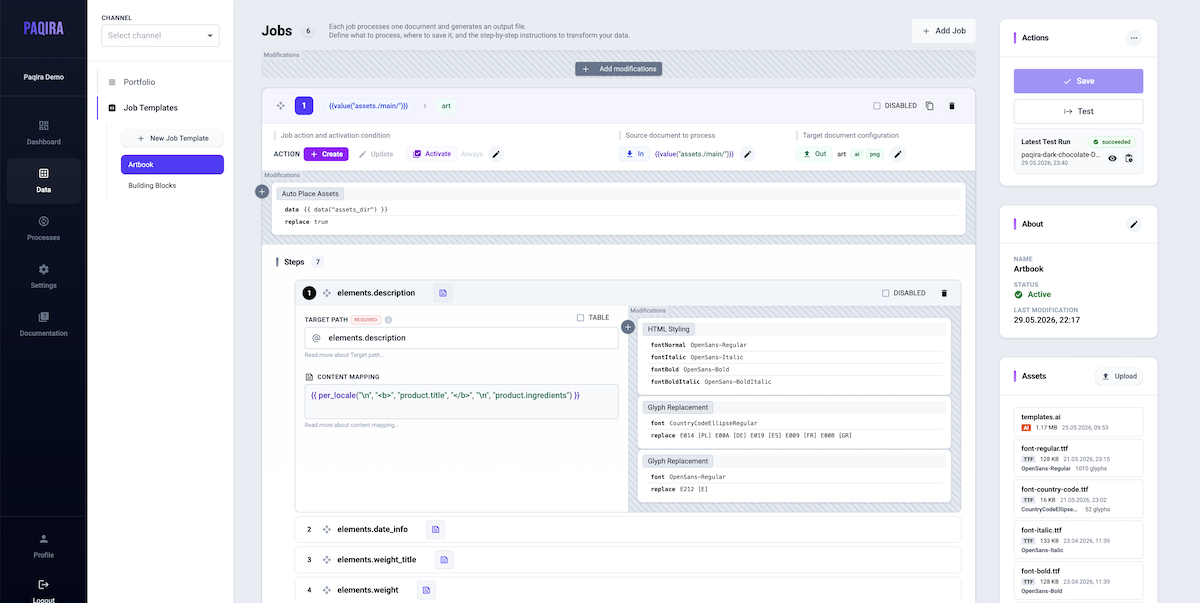
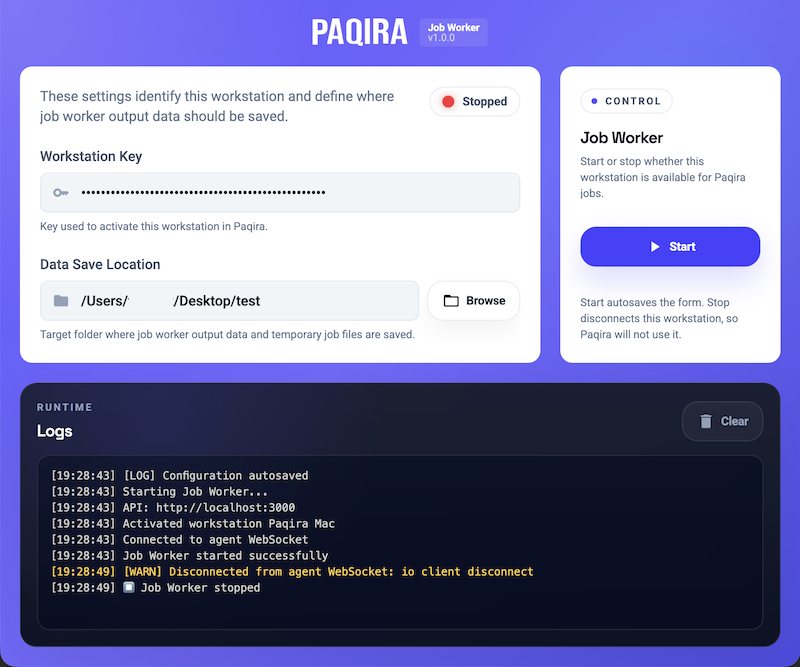
Teams manage syntax, rules, templates and assets in the web workspace while connected desktop workers run generation on the machines that have the right production setup.
See Paqira in action
Demo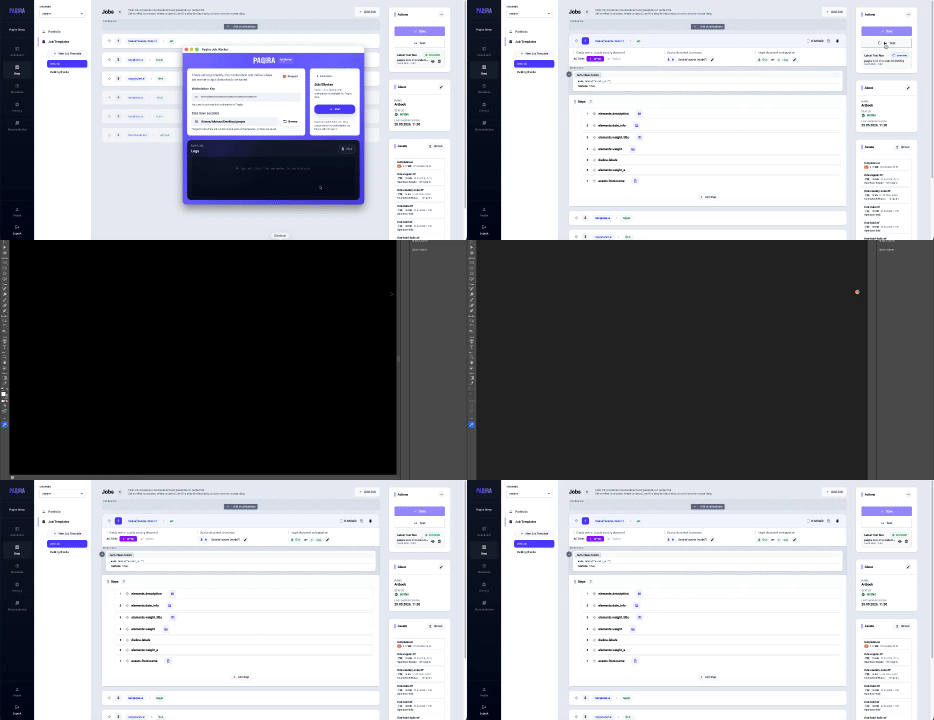
We know how to automate artwork because we understand both the system and the design work itself.
Paqira combines software development with hands-on Adobe Illustrator and artwork production knowledge, so the platform reflects how complex this process becomes in real teams.
Software architecture for repeatable output
We build governed flows, data logic and generation pipelines that hold up under product scale, localization and ongoing change.
Illustrator-native process instead of abstract theory
We work on real Adobe Illustrator files: modifying templates, layers and reusable elements directly, or triggering full workflows made from many connected operations.
Built around real blockers teams face every day
Because we know the work on both sides, we can design for edge cases before they become production delays, rework and quality risk.
One monthly model that includes product access, custom development and support.
Artwork automation is rarely plug-and-play. We work closely with your team, adapt the platform to real operational constraints and stay involved as your setup evolves.
API access
Trigger file generation directly from your own system and connect Paqira to the workflows you already run.
Paqira syntax and rich rules
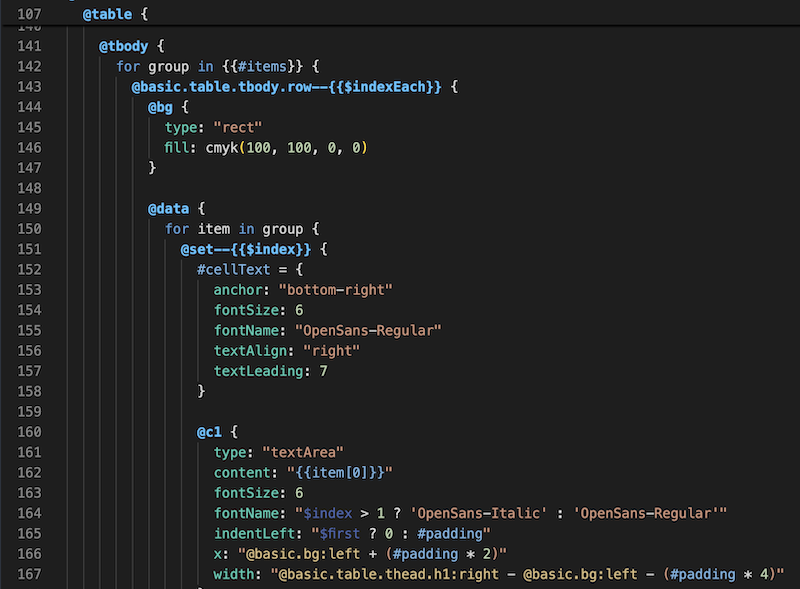
Use a simple internal language to generate elements, modify files and combine many production steps into reliable workflows.
Always up-to-date artworks
Keep assets current in both create and edit mode, so teams can update existing files without breaking consistency.
Unlimited members, channels and workstations
Add teams, client groups and connected machines without artificial limits, including desktop generation with Adobe Illustrator.
Easy import and mapping
Bring data from your own source and map it into a structure that is simple to manage and ready for automation.
Workspace branding
Add your logo and colors to the UI so the platform feels aligned with your team, clients and internal processes.
Why this model works
Instead of selling software first and solving complexity later, we treat implementation, refinement and day-to-day support as part of the license from day one.
The platform itself
Your team gets the automation engine, workspace access and the core tooling needed to run production.
Custom development
We refine rules, flows, integrations and edge cases so the product fits the way your business actually works.
Hands-on support
When questions, changes or operational blockers appear, you work directly with us instead of opening a disconnected ticket queue.
Continuous refinement
We keep adjusting the setup as your portfolio, artwork complexity and internal process grow.
Close client cooperation
The best outcomes usually come from tight feedback loops, because the requirements are rarely simple or static.
A high-touch model
The monthly license is designed to cover software, expertise and support in one relationship, without artificial separation.
Working style
Best fit for teams that want a committed product partner, not just another SaaS subscription left on its own after onboarding.
What Paqira changes for artwork operations
Faster production is only one part of the value. The bigger gain is a controlled system that keeps artwork logic, brand consistency and operational scale aligned.
Faster production without chaos
Generate or update selected artwork elements in seconds, then combine those repeatable operations into larger workflows when the job needs it.
Consistency across variants
Keep branding, claims and structure aligned across versions, markets and output formats, with data changes visible before they turn into outdated artwork.
Scale without linear effort
Handle growing product ranges and localization complexity without multiplying manual production overhead.
Native Adobe Illustrator workflow
Use your existing Adobe Illustrator files as the production base, whether you work offline on one desktop file or trigger a complete multi-step workflow.
Enterprise-ready
Built for high-volume artwork environments
Standardize artwork generation across product ranges, markets and regulatory contexts without losing control over local variation.
Multi-language artwork
Generate region-specific artwork variants in multiple languages from one controlled source.
Variant complexity
Manage thousands of SKU combinations without turning production into linear manual work.
Regulatory control
Keep market-specific claims, legal content and data updates aligned with current requirements.
Fast portfolio updates
Detect changed data and roll out the right updates across markets, channels and artwork ranges far faster than traditional file-by-file editing.
Bring data, design logic and artwork output into one system.
If your team is handling growing artwork complexity across packaging and beyond, Paqira can turn repetitive production work into a controlled operating model.